
Conversations
The Conversations page lists the chats in which visitors asked the assistant at least one question on your website, newest first, and opens each one as the visitor saw it. Everyone on the team can read them. Reading them now and then is the quickest way to learn what visitors ask and where the answers fall short.
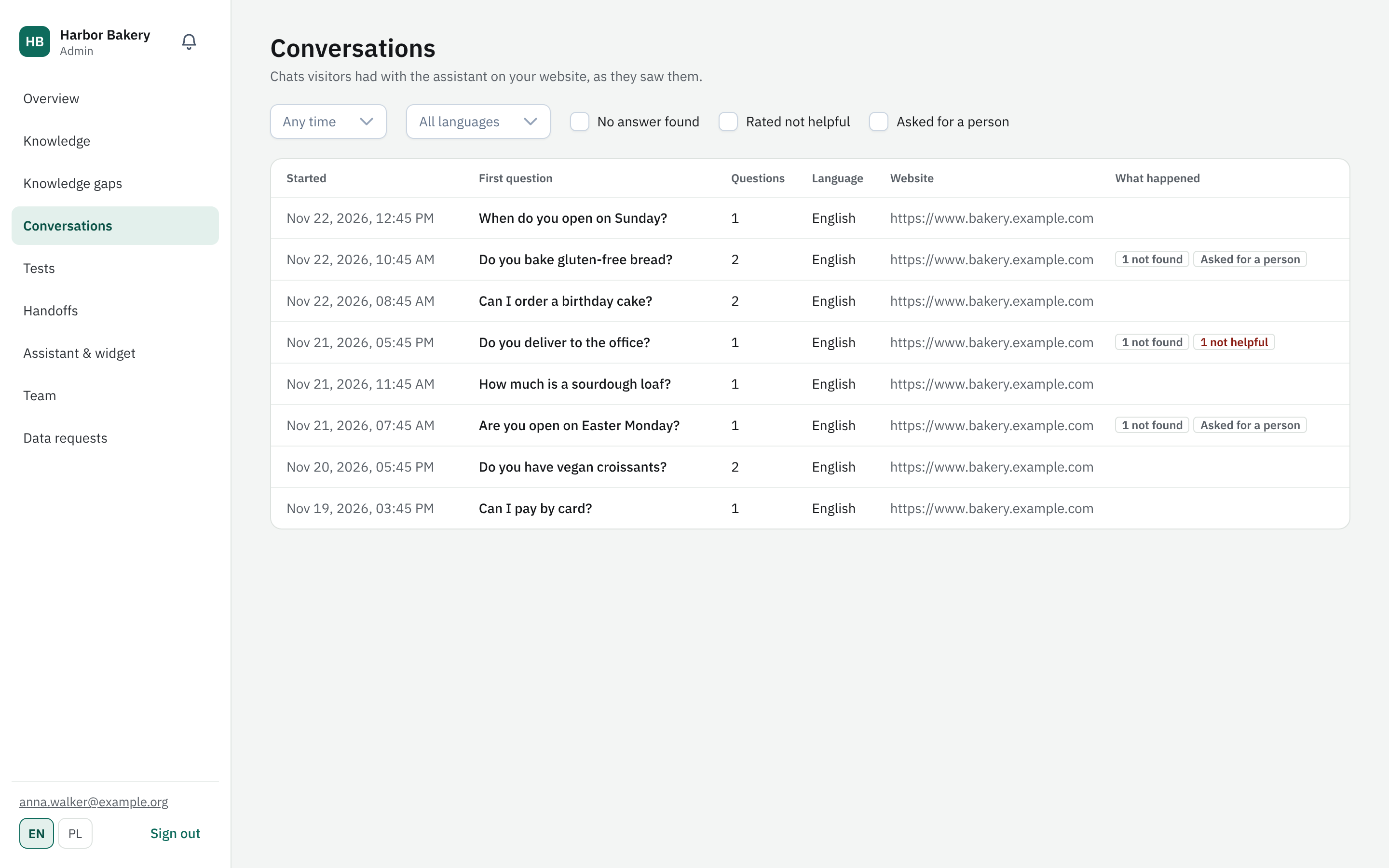
Find a chat
- Period: the last days, or any time.
- Language: only the chats held in one language.
- No answer found: chats with at least one question the assistant found no answer to.
- Rated not helpful: chats in which the visitor marked an answer as not helpful.
- Asked for a person: chats in which the visitor asked to be contacted by a person. Only on plans with handoff to a person.
The ticked filters add up: ticking two shows the chats that match both. Each row shows when the chat started, its first question, how many questions the visitor asked, the language, the website it was held on and, under What happened, how many questions got no answer or a “not helpful”, and whether the visitor asked for a person.
Read a chat
Select a row to open the chat. You see every message with its time, as the visitor saw it:
- Answers from your knowledge carry numbered sources. Select a number to see which source the sentence came from, with its title and a link where it has one.
- An answer the assistant found nothing for says No answer found in the knowledge.
- A visitor’s rating shows under the answer they rated.
- Email addresses, phone numbers, payment card and bank account numbers, and national ID numbers in the formats of your organization’s countries, that visitors typed show as [hidden]. Asquo hides them before it keeps the message or sends it to the AI model, so nobody can read them later, you included. Names are not hidden.
On the right, Details shows the chat’s language, the website and the time of its last message. On a plan with handoff to a person, Handoffs lists the requests the visitor left in this chat, with their status; select one to open it.
Turn an answer into a test
On a paid plan, Editors, Admins and the Owner see Save as test under an answer from the knowledge. It saves the visitor’s question with this answer as the expected one, so later test runs check that the assistant still answers it. Correct the expected answer first if this one was wrong. It also shows under an answer that found nothing in the knowledge; there you type the expected answer yourself.
How long chats are kept
Chats are deleted after the period the Owner sets in Data retention, counted from their last message. A chat that is no longer listed was deleted then, or erased at a visitor’s request on the Data requests page.