
Chat tab
The Chat tab of the Assistant & widget page sets the chat’s languages and what it says when it opens. Live preview next to it shows your changes before you save them.
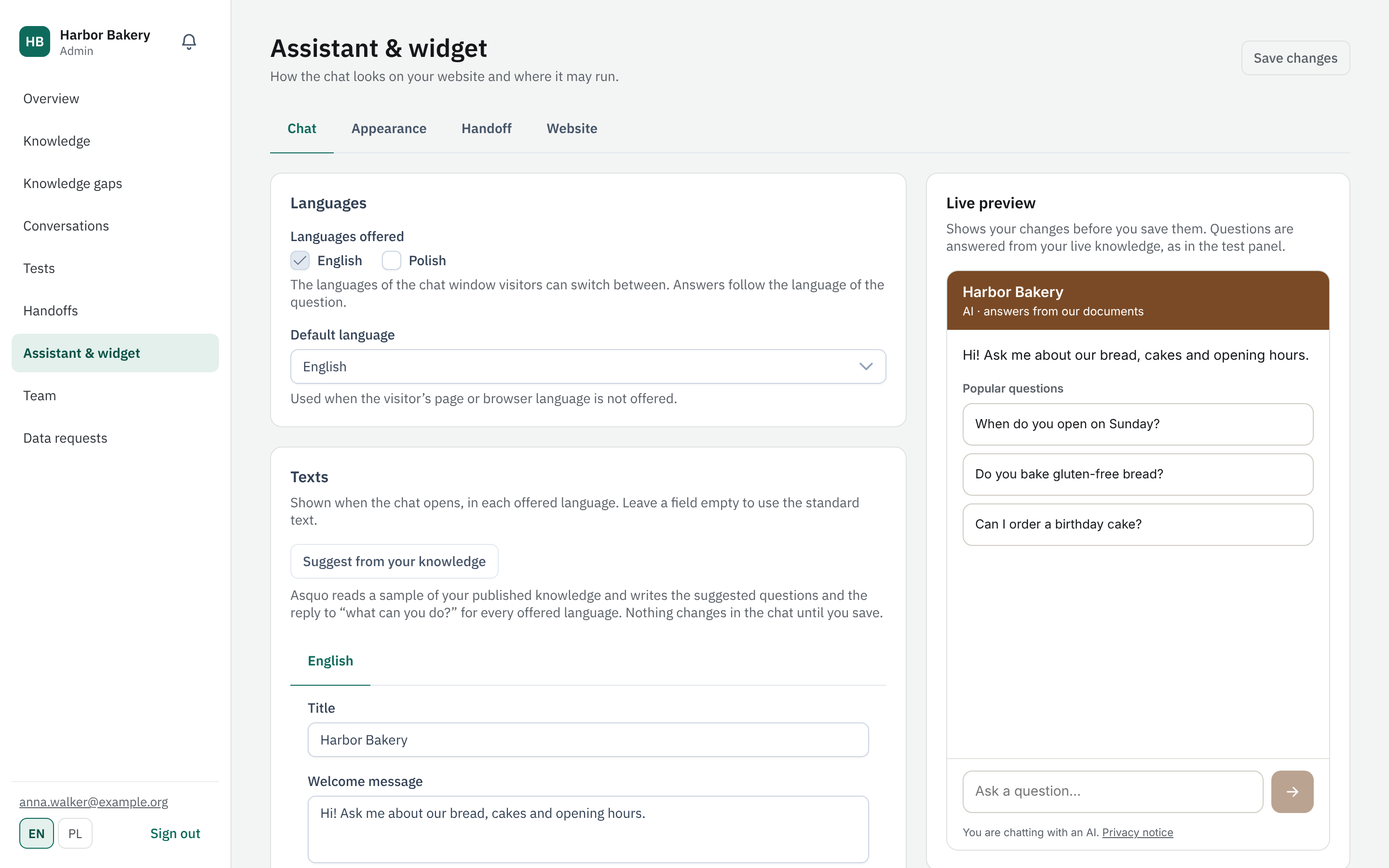
Live preview
The preview is the real chat with your unsaved changes. You can ask it questions: it answers from your live knowledge, as Test the assistant does, and its questions count toward the same daily test questions. It shows on the Chat and Appearance tabs.
Languages
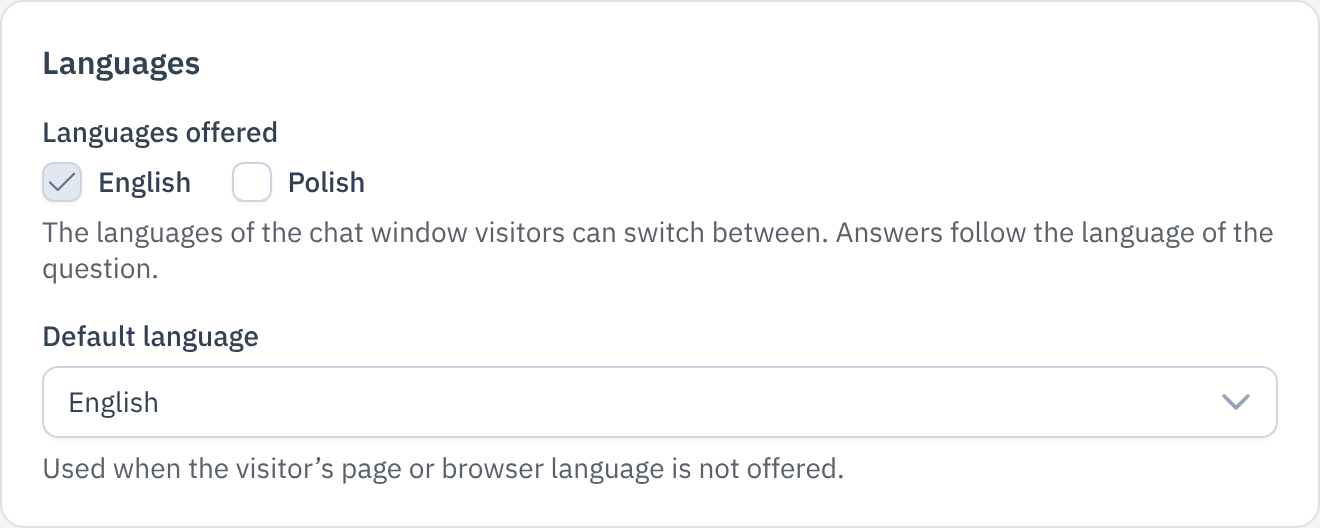
- Languages offered: the languages of the chat window. Visitors can switch between them in the chat. At least one stays ticked.
- Default language: one of the offered ones.
The chat opens in the language of your page, if it is offered, else in the first of the visitor’s browser languages that is, else in the default language. If the visitor picks a language in the chat, it stays for the rest of the visit. The window’s language sets its buttons and texts; the assistant answers in the language of each question.
Texts
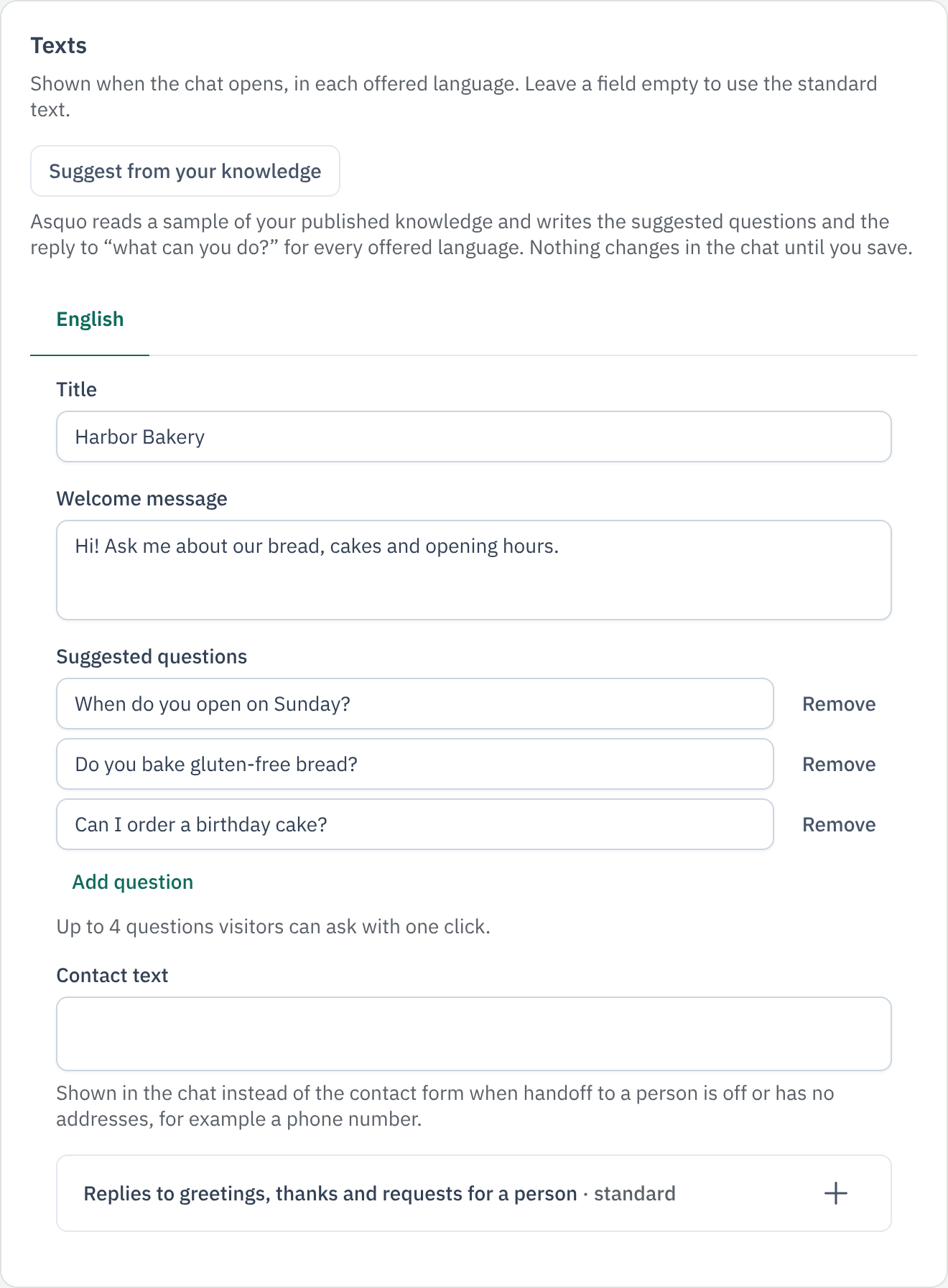
Each offered language has a tab with its own texts. Leave a field empty to use the standard text.
- Title: at the top of the chat, such as your company’s name. Up to 60 characters.
- Welcome message: the first thing visitors read. Up to 300 characters.
- Suggested questions: up to 4 questions visitors can ask with one click, shown under Popular questions in the chat, each up to 120 characters. Pick questions your knowledge answers well, and try them in the preview.
- Contact text: shown instead of the contact form when visitors cannot ask for a person, for example your phone number. Up to 500 characters.
- Replies to greetings, thanks and requests for a person: the assistant answers such short messages at once, without searching the knowledge, such as “hello”, “thank you”, “what can you do?” or “I want to talk to a human”. Select Show the replies… to change them, up to 300 characters each. What the assistant can do is worth writing yourself: it tells visitors what to ask about.
Suggest from your knowledge
Suggest from your knowledge reads a sample of your live knowledge and writes the suggested questions and the reply to “what can you do?” for every offered language. It takes up to a minute. Nothing changes in the chat until you check the texts and select Save changes; Discard changes puts back the texts you had. It needs some live knowledge to write from.
An organization can use it 10 times a day, failed tries included; the day starts again at midnight UTC (in Poland 1:00 in winter, 2:00 in summer). On the free plan we write these texts for you when we set the chat up.