
Organization settings
The Settings page holds decisions about the organization itself: its name and how long the chats of your visitors are kept. Only the Owner sees it and changes it.
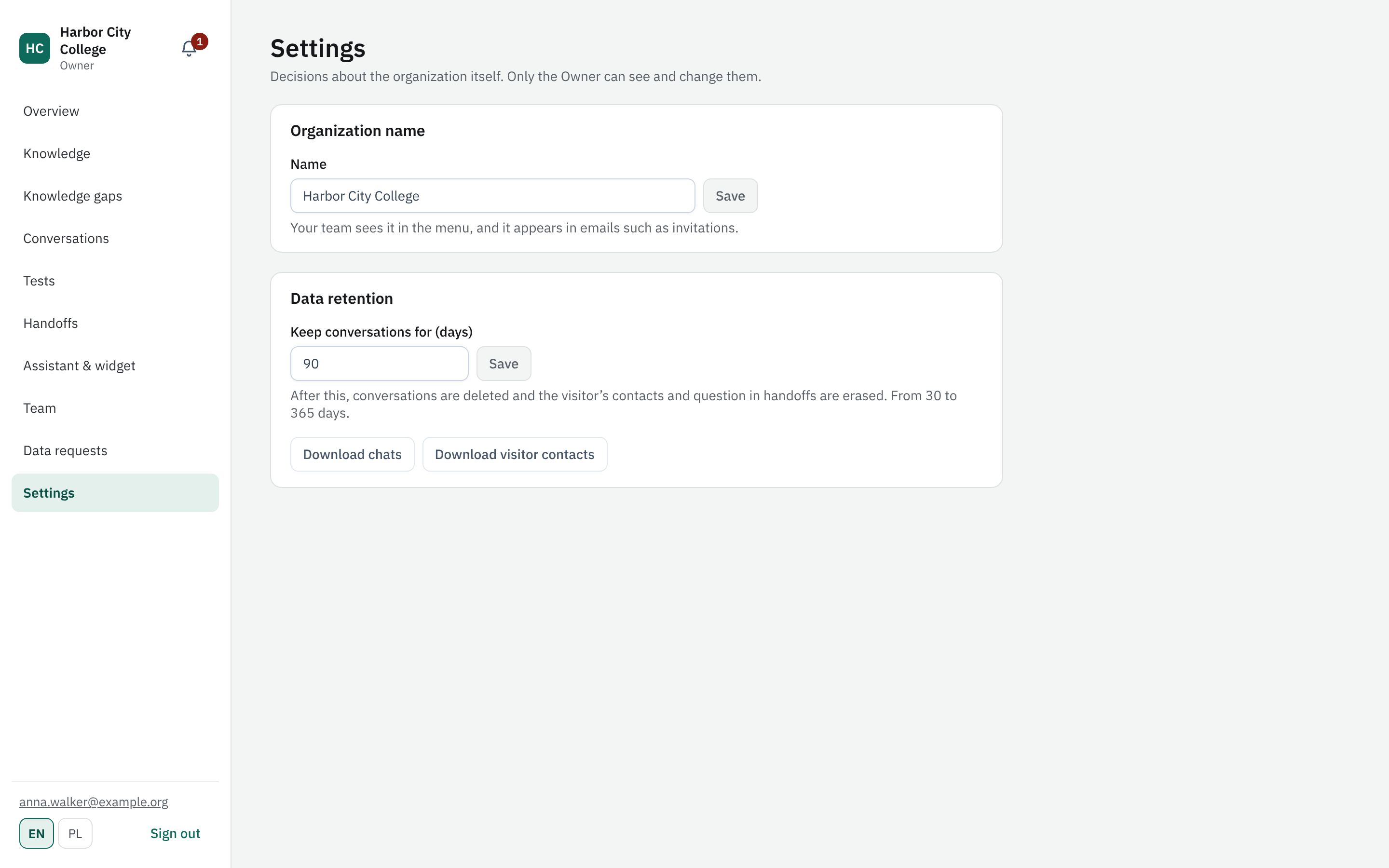
Organization name
Your team sees the name in the menu, and it appears in emails such as invitations. It can be up to 200 characters long. Type the new name and select Save.
Data retention
Chats and the contact details visitors leave in handoffs are personal data, so Asquo does not keep them forever. Under Keep conversations for (days), choose how long they stay, and select Save.
- On the standard plan you choose from 30 days to 365 days. A new organization starts with 90 days.
- The free plan keeps them for 30 days, and the page shows this without a field to change it.
Every night, at midnight UTC (in Poland 1:00 in winter, 2:00 in summer), Asquo deletes the chats nobody wrote in for longer than that, with all their messages. Handoffs older than that keep only their status and dates: the visitor’s name, email address, phone number, call-back time and question are erased, and so is your team’s note on it. A shorter period applies the next night, to everything already older than it; deleted chats cannot be brought back.
Choose a period that matches your privacy policy, and long enough for your team to follow up on handoffs.
Download chats and visitor contacts
Before you shorten the period, or at any time, keep a copy of what is there:
- Download chats saves every chat as a spreadsheet (CSV), one line per message: the time, the chat it belongs to, who wrote it, the text, its language and the website it was written on.
- Download visitor contacts saves the contact details visitors left in handoffs, with their question, category and status.
Both files hold personal data: store them as carefully as the admin app itself, and delete them when you no longer need them.
After a move to a plan that keeps chats for less time
If your organization moves to a plan with a shorter longest period, such as from the standard plan to the free plan, the shorter period does not apply at once. For 14 days chats are still kept as long as on your previous plan, so you can download them first. The Owner gets an email about it, and the page shows the date when the shorter period starts.
When you have the copy you need, you can select Apply … days now: older chats and visitor contacts are then deleted the next night instead of on that date. Saving a new period that the new plan allows ends the wait too.
Team on a plan for one person
The free plan is for one person, the Owner. If anyone else is still on the team or invited from before, for example after a move from a paid plan, the page shows a Team card: they cannot open the organization on this plan. Open Team opens the team list, where the members are marked Paused and where you remove them and revoke their invitations.