
Handoffs page
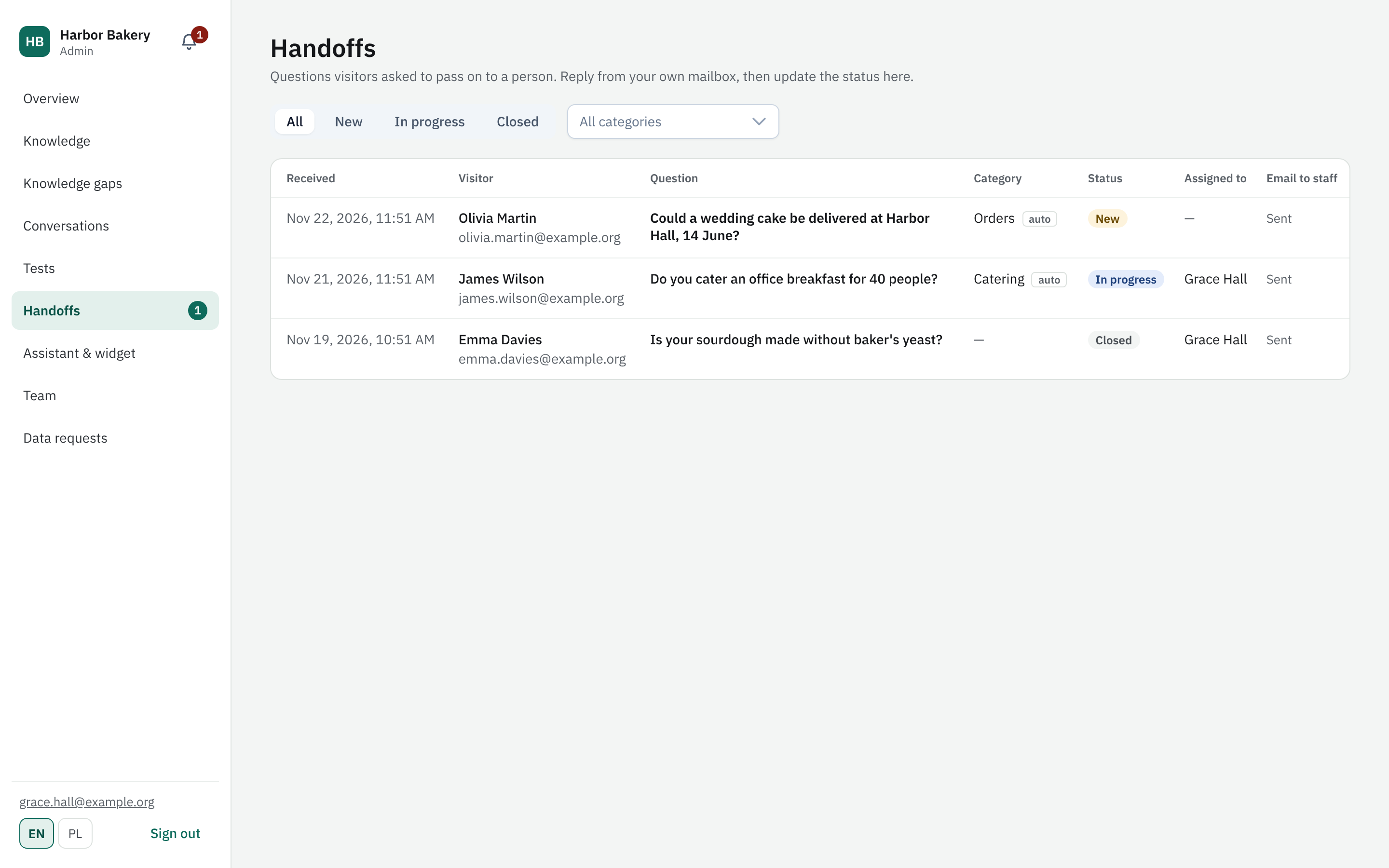
The Handoffs page lists every request visitors sent to be contacted by a person, newest first. Your team replies to the visitor from its own mailbox, then records here who is on it and how far it got. The number next to Handoffs in the menu is how many requests are New.
The list
Each row shows when the request came, the visitor’s name and email, the start of the question, its category, its status, who it is assigned to and whether the email to your team was sent. auto next to a category means Asquo chose it; a category without it was chosen by your team. New requests stand out until someone changes their status.
Filter by status with All, New, In progress and Closed, and by category. Select a question to open the request.
Statuses
- New: nobody has taken it up yet. Every request starts here.
- In progress: someone is on it, for example has replied and waits for the visitor.
- Closed: done.
Asquo never changes the status by itself, not even when you reply: change it here, so your team knows what is left. A request that stays New or In progress longer than the reminder time on the Handoff tab shows up in the notifications.
A request
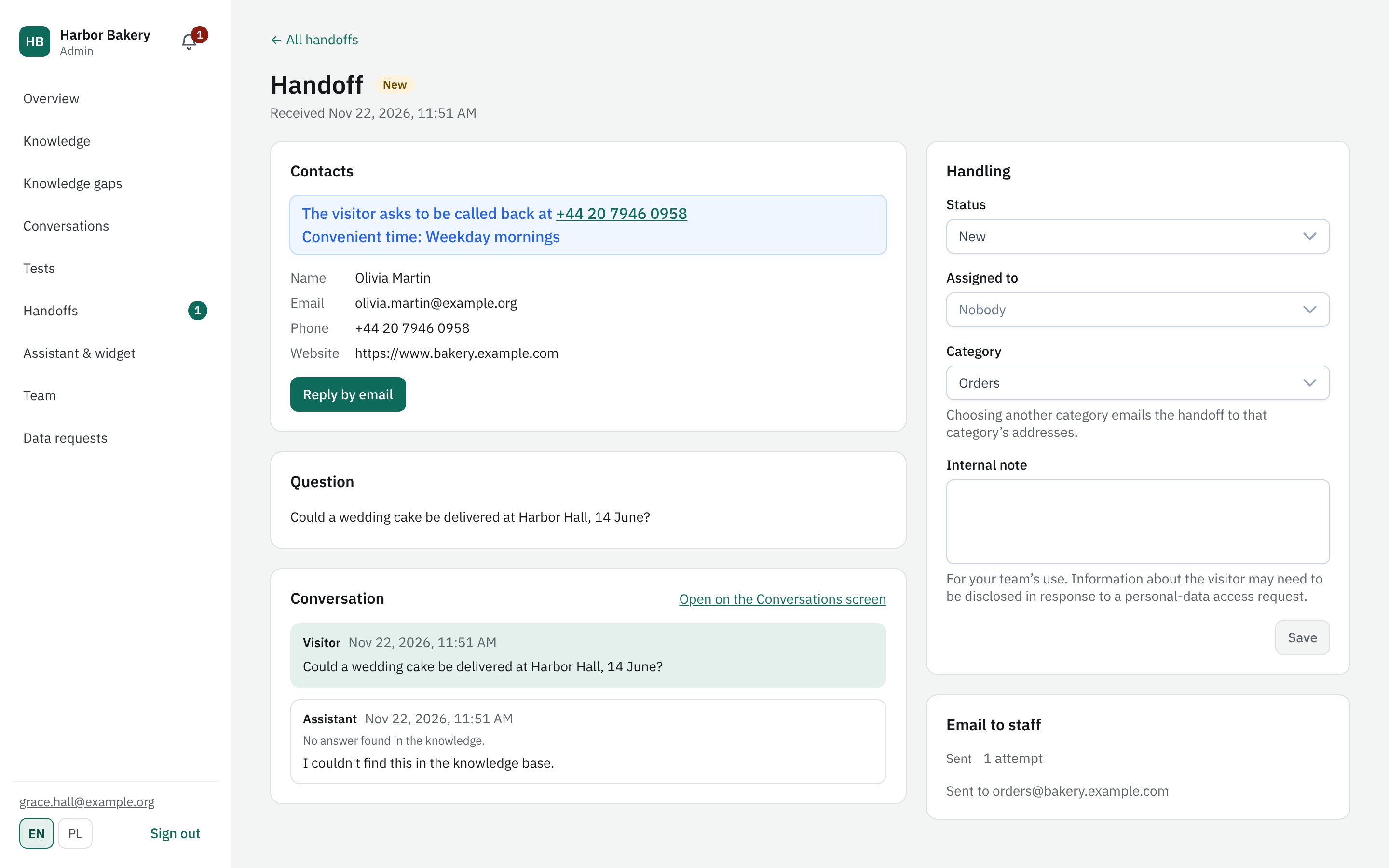
- Contacts: the visitor’s name, email, phone and the website they wrote from. If they asked to be called back, the number and the time that suits them are at the top. Reply by email opens your mail program with a reply to the visitor.
- Question: what the visitor sent with the form.
- Conversation: the chat before the request, with the sources each answer came from and the visitor’s ratings. Open on the Conversations screen shows the whole chat.
- Handling: what your team changes, then saves with Save.
- Email to staff: whether the email about this request was sent, and to which addresses. See The email to your team.
Handling
- Status: see Statuses.
- Assigned to: the team member taking care of it. The reminder then goes to that person only.
- Category: choosing another category emails the request again, to that category’s addresses, so the right people see it. Choosing no category sends nothing.
- Internal note: for your team, such as what was agreed with the visitor. Up to 2,000 characters. The visitor never sees it, but it may have to be disclosed if the visitor asks for their personal data.
If someone else saved the request while you were editing it, Asquo shows their version with your changes on top: check it and save again.
Editors, Admins and the Owner can change requests; Viewers can only read them.
When the contact details are gone
After the chat retention period that the Owner sets on the Settings page, or when a visitor asks for their data to be erased, a request loses the visitor’s contact details, the question and the internal note. Its status, category and dates stay, so your counts still add up, and the list shows why the details were removed.