
Appearance tab
The Appearance tab of the Assistant & widget page makes the chat look like part of your website. Live preview next to it shows the changes before you save them.
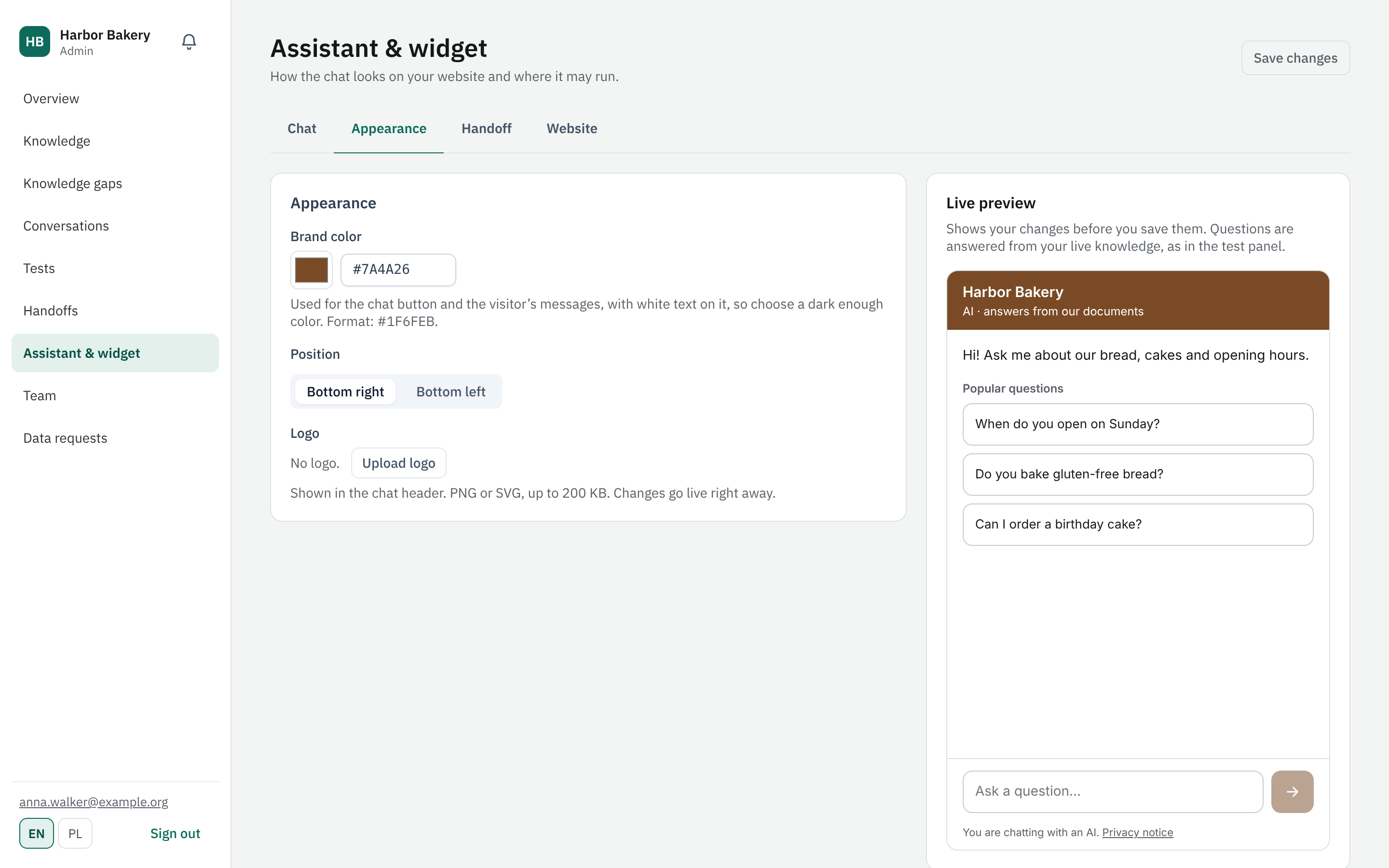
- Brand color: the color of the chat button, the chat’s header and the visitor’s messages. Their text is white, so choose a dark enough color; a color white text is hard to read on is refused when you save. Pick it, or type it as
#1F6FEB. - Position: Bottom right or Bottom left corner of your website. Choose the corner where the button does not cover anything, such as your own cookie banner or another chat.
- Logo: shown in the chat’s header. PNG or SVG, up to 200 KB. Unlike the other settings, a new or removed logo goes live at once, without Save changes.